Features
AI-native capabilities unique to PlainHub.
AI-Native Online Editor
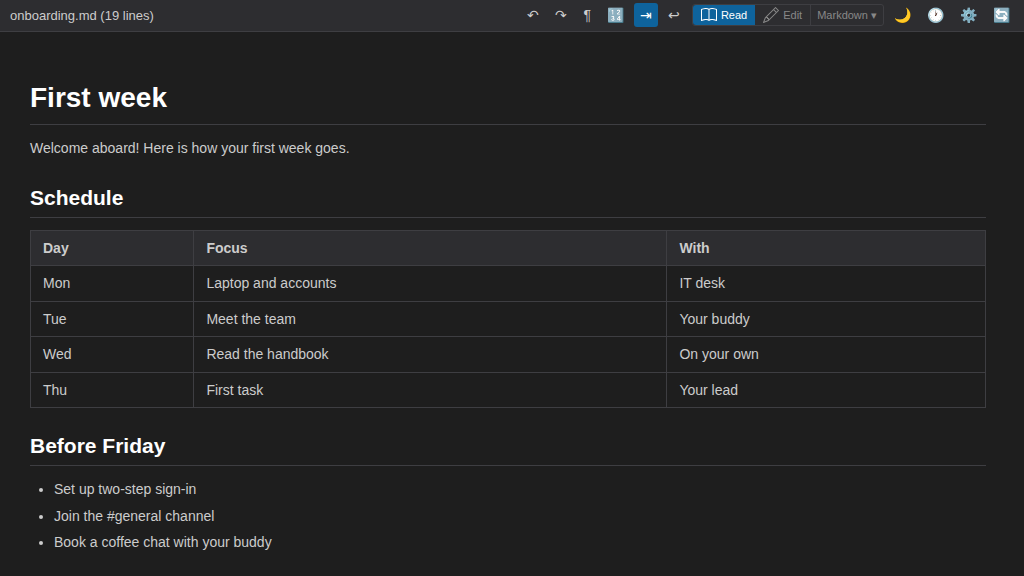
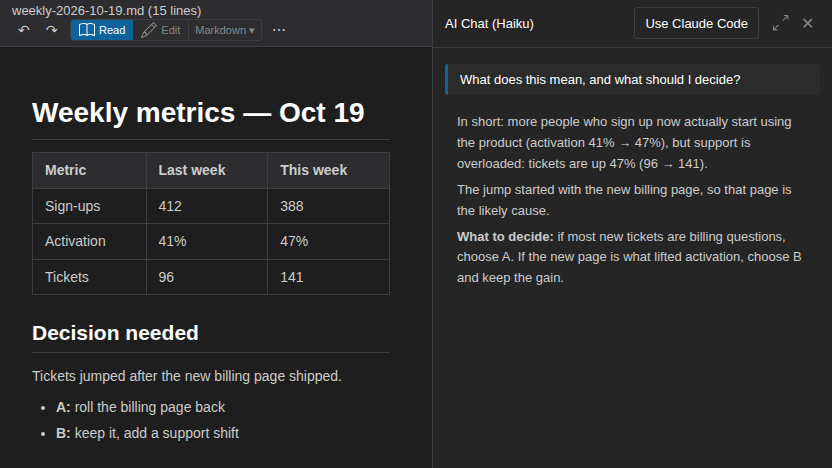
PlainHub has AI integrated into the editor. With MCP/CLI integration, it can also be controlled from Claude Code and Cursor.
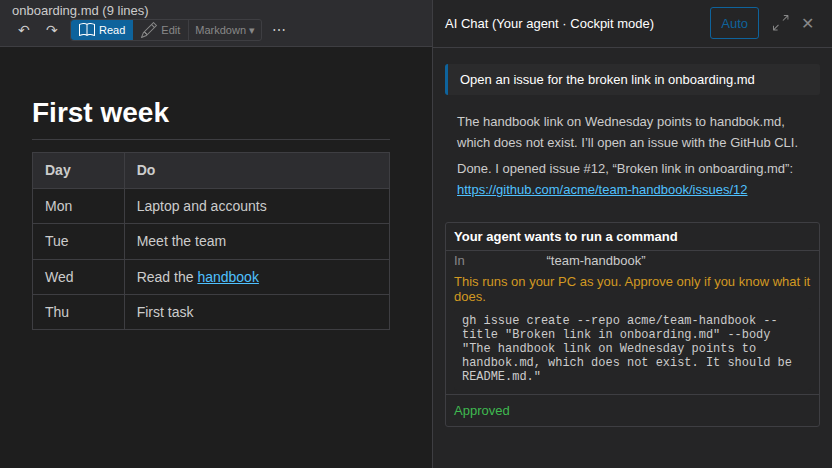
GitHub Issues Integration
While editing documents, you can view, create, comment on, and close Issues — all from the AI panel. No need to open the GitHub Issues page.
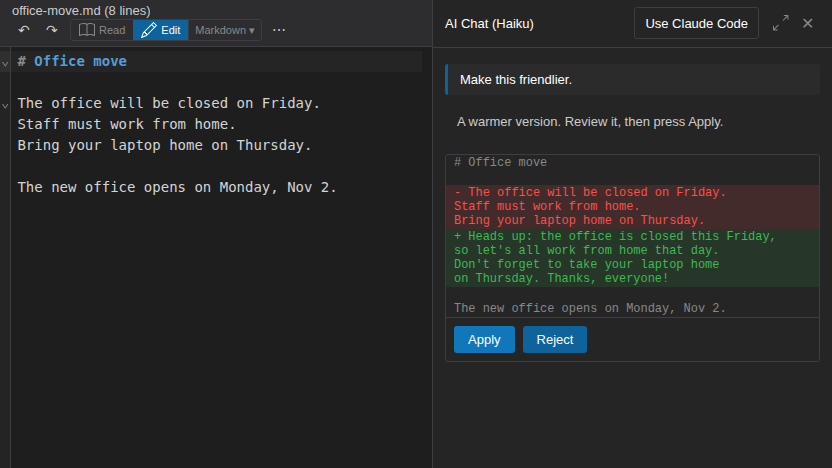
Idea Development — Brainstorm with AI while writing
Don't just jot down ideas — develop them through conversation with AI. In PlainHub, your notes and AI live on the same screen.
How it differs from other tools:
- ChatGPT/Claude conversations → conversations flow away. You need to copy results somewhere else
- PlainHub → the document itself is your workspace with AI. Edits are saved in place
Access your ideas from any device. Jot something down on your phone, brainstorm with AI, and record it all in Git.
Edit & Deploy from Anywhere — Just save to go live
Saving in PlainHub = committing to GitHub. If you use a GitHub-connected hosting service like Vercel, Netlify, or Cloudflare Pages, saving triggers automatic deployment.
Upload files — Use GitHub like a file server
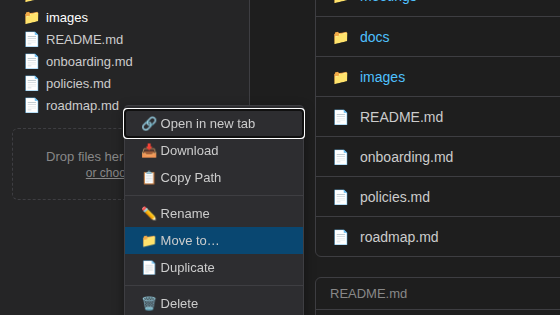
Drag files or folders from your desktop onto the file list, or choose Upload files from the + New menu. Documents such as PDF, Word, and Excel files go straight into your GitHub repository. Each upload is one commit, so the files keep their version history.
Ask AI: answers with sources
Type a question in the search box and choose Ask AI. PlainHub turns the question into search words, searches this repository or all the repositories you added, and the AI answers from the matching lines, with sources (repository › file, and the line when it is known). The sources come from the files the search actually found, not from paths the AI writes.
- With Your agent (your own Claude Code on your PC): no AI key needed.
- With your own Anthropic API key: the cost of each answer is shown.
Coming Soon
AI-powered file organization
Let AI organize your scattered documents.
Learn with your editor — AI Learning Mode
Have AI read your notes and quiz you in an interactive format. Not just writing — a tool to reinforce what you've written.
The place where you write and the place where you learn are the same. GitHub becomes the backend for your study records.